
New Features 10 Things to Know About the new Pulse Update
Mar 31, 2026
SHARE
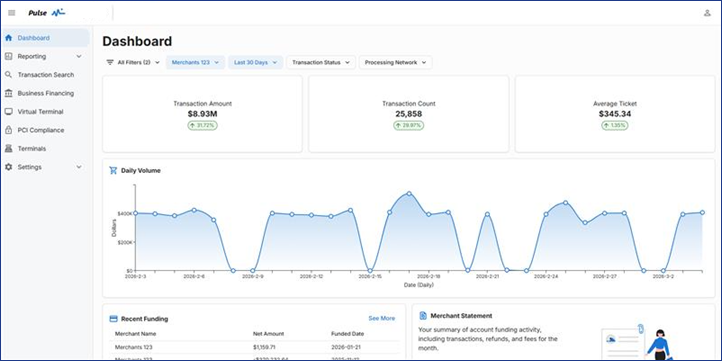
Pulse (an updated version of Merchant Track) is launching Thursday, April 2nd and will offer a more modern and streamlined experience for managing your payments and reporting.
The update is automatic and there is no action required. Your day-to-day workflows will continue without interruption.
To help get you ready for the launch, here’s 10 things you need to know about the new update!
1. Familiar Layout
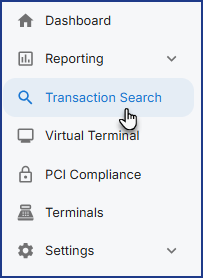
- Pulse keeps the left-side navigation you’re used to from Merchant Track, so moving around the platform feels intuitive from the start!
2. Insight-Ready Dashboard
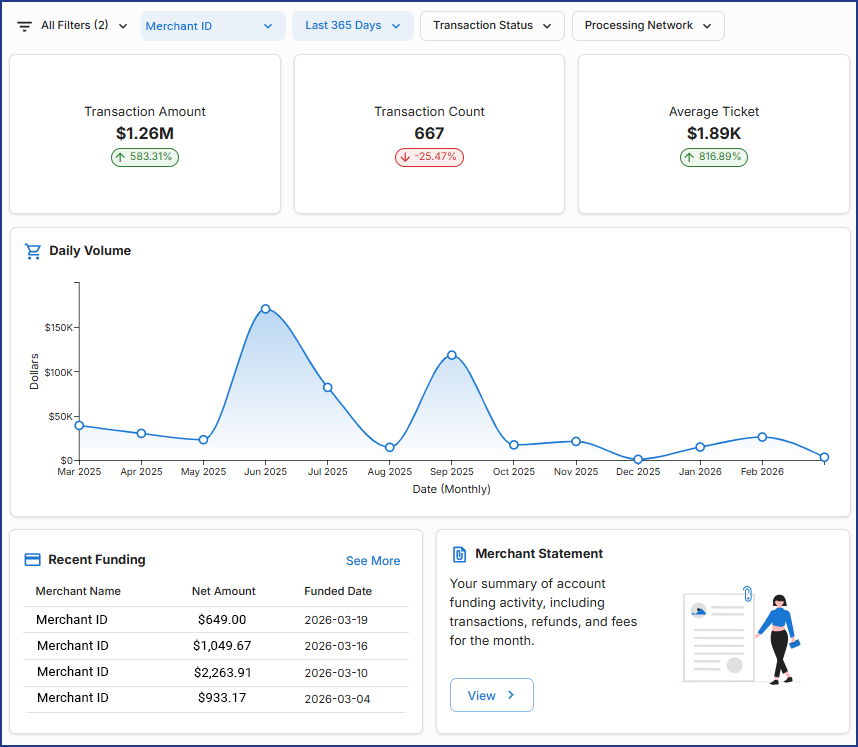
- The dashboard now displays datapoints for one merchant at a time, adding focused insights like trend comparisons to the previous period.
- Recent Funding now shows specific amounts for all merchants.
3. Quick Filter Bars that Replace Parameter Pages
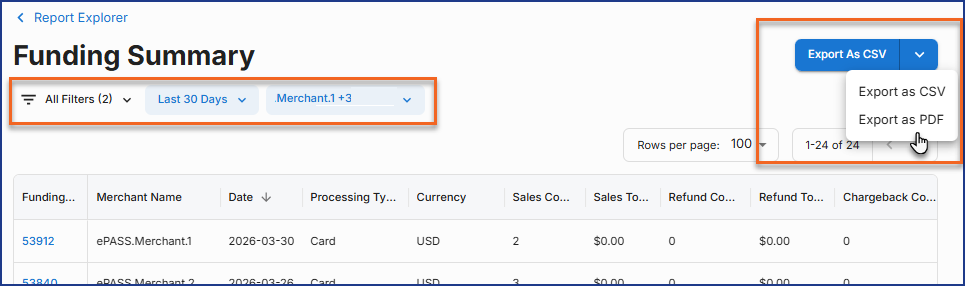
- A consistent filter bar across the dashboard and reports helps you to quickly adjust date ranges, merchants, and any other parameters you’re used to. No more going back and forth to the Parameters pages!

4. Neat and Tidy Transaction Search
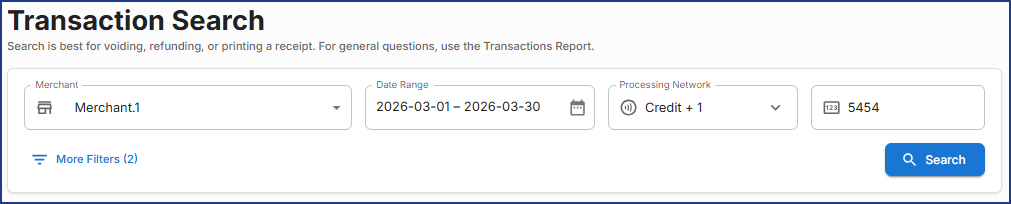
- The most used search fields are highlighted, while all options are still available under More Filters.
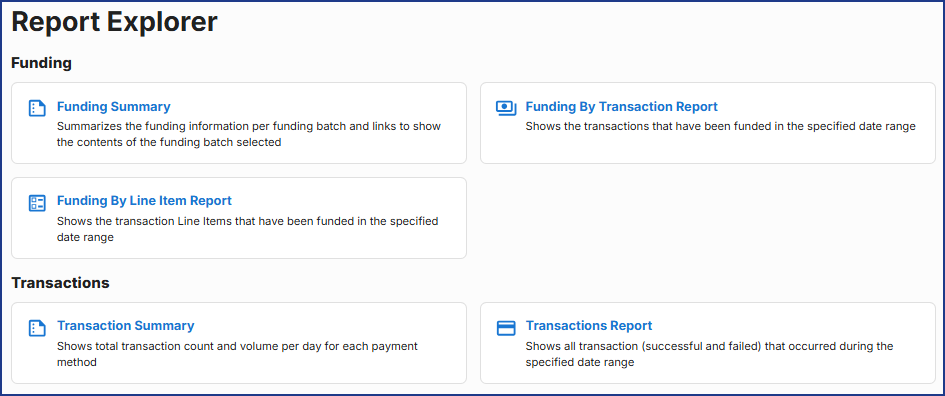
5. Streamlined Reporting Experience
- Reports use the standard filters found throughout Pulse, with Report Explorer serving as the central starting point for navigating to each report.
- Export options sit together in the top-right.
- The More Filters button offers other parameter options you’re used to, such as changing Date Type.
6. Streamlined Details Page
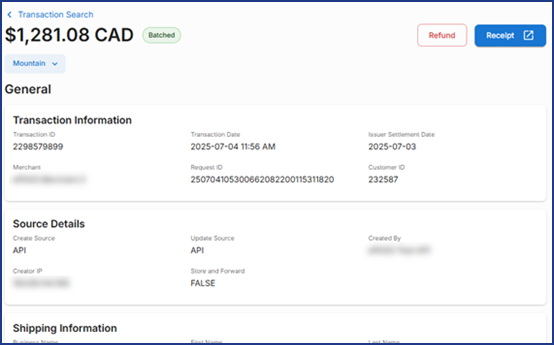
- Transaction Details now includes all information in a single scrolling column.
- Other Details reports (Funding Details, Chargeback Details, and Merchant Deposit Report) are also reorganized to highlight the most important data at the top.
7. Large Exports Stand Out
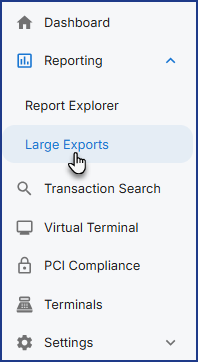
- Large CSV exports that are too big to automatically download now appear in a dedicated Large Exports page within the Reporting section.
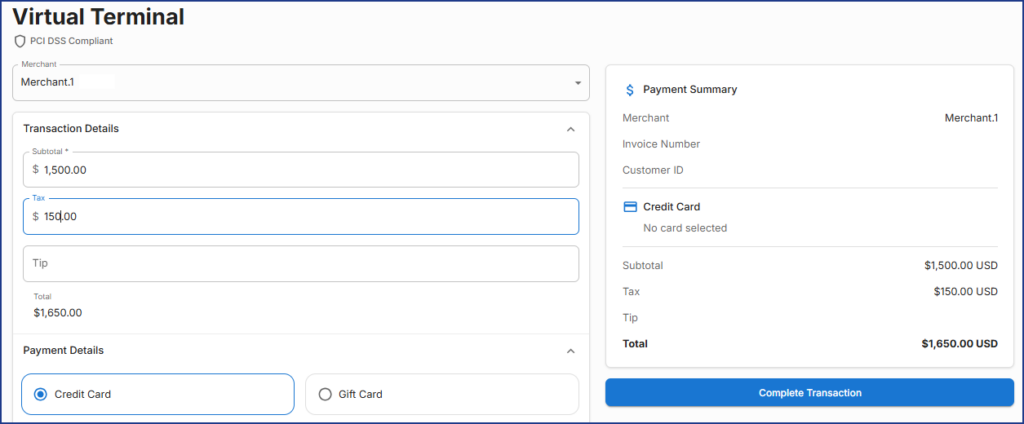
8. Modernized Virtual Terminal
- The Virtual Terminal keeps entry fields on the left and adds a live-updating summary on the right.
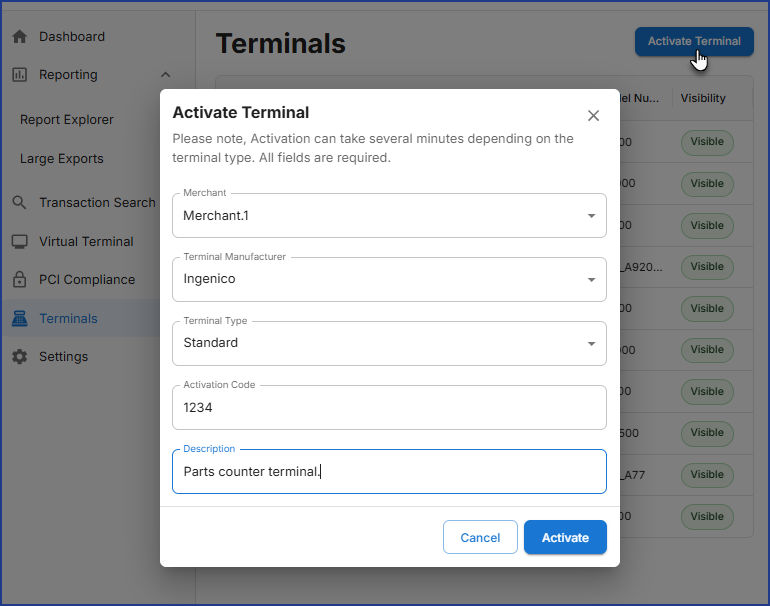
9. Activate Terminal: Now in a New Spot
- Open the Terminals page and click the blue button at the top-right to activate a new terminal.
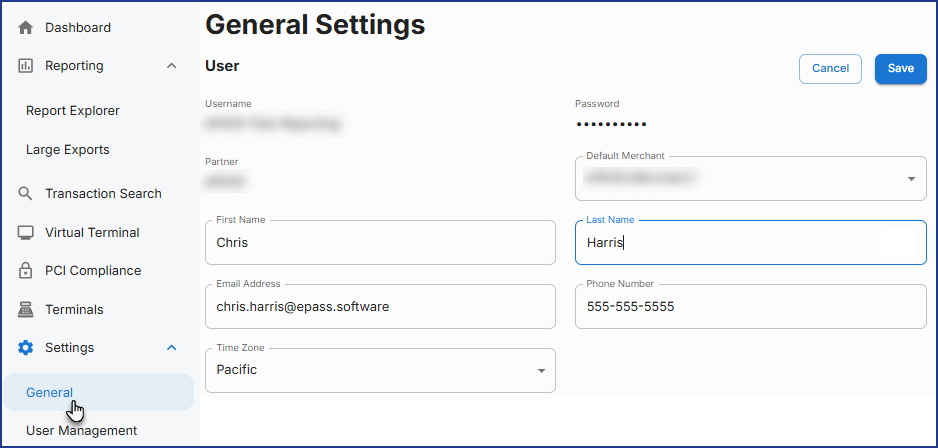
10. Personalized User Settings
- Create a more tailored experience by updating your default time zone, default merchant, and language at any time in Settings.
- These preferences shape what loads first on the dashboard and in reports.
We hope you enjoy all the enhancements that Pulse brings to your payments workflow this Thursday!